Panel Instructions
Teaching someone to run a control panel is hard on paper. You can't point at the right button in a printout, and the floor here mixes English, Polish, Russian and Romanian speakers. I built a guide that shows the real panel and speaks all four.
The problem
A new operator needs to know which specific button starts the line, runs the daily clean, or stops it in an emergency. A printed guide can't point at a button, and a guide in one language leaves half the floor guessing.
The solution
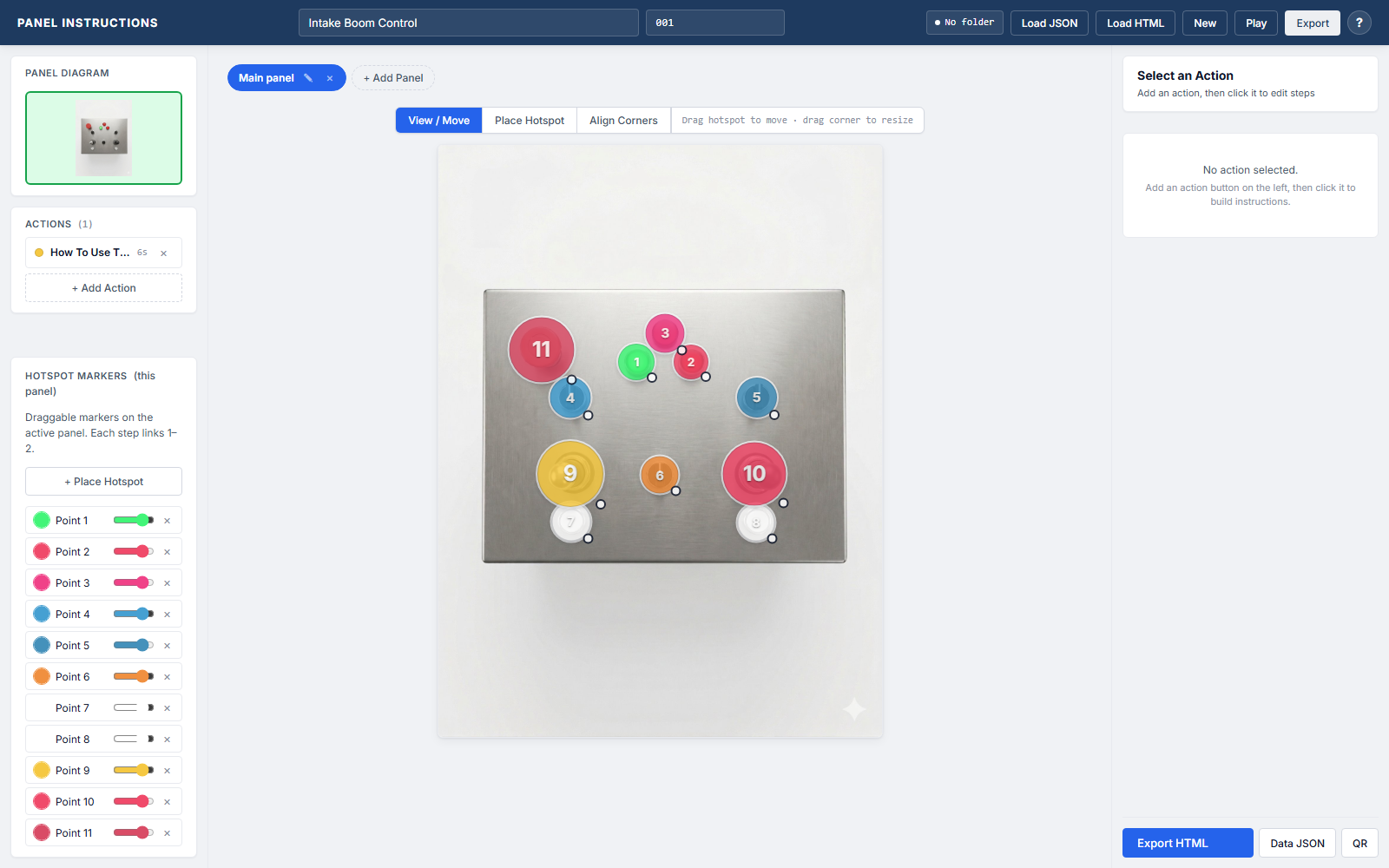
An author builds each guide over a photo of the actual panel. The operator scans a QR on the machine, opens it on their phone, and taps through the steps.
- The real panel, marked up. Each step flashes a ring on the exact button to press, with a small animation of the motion – press, switch, emergency stop.
- Four languages, per step. Title and description switch between English, Polish, Russian and Romanian.
- Nothing to install. It's one file, works offline, opened from a QR code.
What changed
An operator who doesn't read English well can still be shown, button by button, how to run the machine in front of them – in their own language, on their own phone, from a code stuck to the panel. For a supervisor that's training which doesn't depend on standing over someone repeating themselves, and a guide that stays put when the agency staff change.
See it live
The editor and the phone viewer are both live on my tools hub.